


Mr Turnip Goes Shopping
An illustrated Mr Turnip story book produced by Ariel Productions Ltd. The front cover features Mr Turnip with the Carrot Twins. In the story, Mr Turnip and Colonel Beetroot set off for the village on Mr Turnip's regular Friday shopping trip. Their journey is interrupted when Farmer Marrow's pigs escape onto the road; while helping to round them up, Colonel Beetroot falls into a muddy puddle. Mr Turnip continues to Mrs Cauliflower's village post office and general store while the Colonel stops beside Mangle-Wurzel's garden rubbish fire to dry his clothes. The Colonel's trousers catch fire and he races through the village, pursued by the Carrot Twins, who use the village pump to drench him and extinguish the flames. Mrs Cauliflower then warms him, dries his clothes and repairs his trousers with a conspicuous flowered patch. Grateful for the twins' help, the Colonel buys them two large lollipops before he and Mr Turnip head back towards Beetroot Hall after a particularly eventful shopping day.
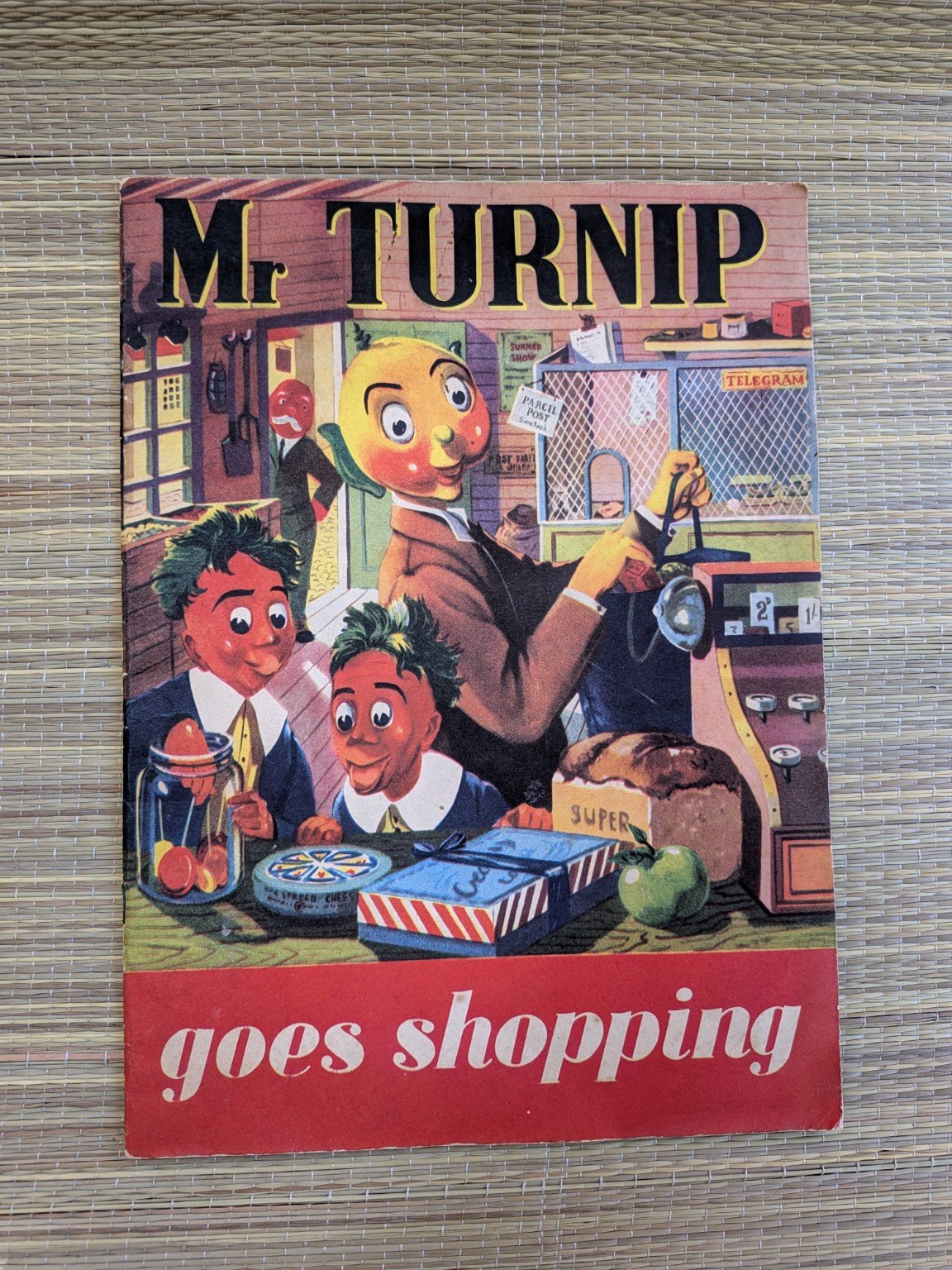
Archive reference: JLA-0206
Item type: Book / Story Book
Maker / creator: Ariel Productions Ltd
Date: Undated, likely 1950s
People / characters: Mr Turnip; Colonel Beetroot; Carrot Twins (Claude/Claud and Clive Carrot); Farmer Marrow; Mrs Cauliflower; Mangle-Wurzel
Credit line: The Joy Laurey Archive
You can get more out of your site elements by making them dynamic. To connect this element to content from your collection, select the element and click Connect to Data. Once connected, you can save time by updating your content straight from your collection—no need to open the Editor, or mess with your design.
Add any type of content to your collection, such as rich text, images, videos and more, or upload a CSV file. You can also collect and store information from your site visitors using input elements like custom forms and fields. Collaborate on your content across teams by assigning permissions setting custom permissions for every collection.
Be sure to click Sync after making changes in a collection, so visitors can see your newest content on your live site. Preview your site to check that all your elements are displaying content from the right collection fields. Ready to publish? Simply click Publish in the top right of the Editor and your changes will appear live.